How to Use Redact AI Prompts to Automate Multi-Modal Data Redaction
How to Use Redact AI Prompts to Automate Multi-Modal Data Redaction
Picture this: You're rushing to meet a deadline, copy-pasting customer feedback into ChatGPT for sentiment analysis. Five minutes later, you realize you just shared twenty credit card numbers and home addresses with an AI that stores conversation history. Your stomach drops. This nightmare scenario plays out daily as professionals unknowingly leak sensitive data to AI tools—and once it's sent, there's no taking it back. The solution isn't avoiding AI entirely; it's implementing intelligent, automated redaction that works invisibly in the background. Multi-modal data redaction has evolved from a compliance checkbox into an essential privacy shield, protecting everything from text prompts to images and audio files before they reach any AI service. In this guide, you'll discover how AI-powered redaction tools automatically detect and mask sensitive information across all data types, transforming risky AI interactions into secure, compliant workflows. Whether you're a freelancer handling client data or an enterprise managing thousands of records, automated redaction isn't just about avoiding fines—it's about confidently harnessing AI's power without compromising privacy.
What Is Multi-Modal Data Redaction and Why It Matters in 2025
Multi-modal data redaction is the process of permanently removing or obscuring sensitive information across different types of digital content—including text documents, images, audio recordings, and video files. According to CaseGuard's 2025 redaction guide, these four major redaction types represent the core categories organizations must address to protect personally identifiable information (PII) in our increasingly digital world.
PII encompasses any data that can identify an individual, from obvious identifiers like names, Social Security numbers, and credit card details to less apparent information such as IP addresses, biometric data, and location coordinates. As explained by Clym's essential PII guide, this data can be used alone or combined with other information to identify, contact, or locate a person—making its protection critical.
The stakes have never been higher. Statista reports that 3,158 data breaches occurred in the United States during 2024, affecting over 1.35 billion individuals. Healthcare has been particularly devastated—The HIPAA Journal documented that 73% of healthcare breaches occurred at provider organizations, with many incidents going undetected for months or years.

The regulatory landscape has evolved dramatically. GDPR and HIPAA continue enforcing strict data protection standards, while the EU AI Act introduced comprehensive AI governance requirements on August 1, 2024. These regulations now demand detailed documentation of AI training data, transparent data quality protocols, and robust governance frameworks—making automated, multi-modal redaction essential for compliance.
For AI users specifically, tools like Caviard.ai have emerged as practical solutions. This Chrome extension automatically detects and masks over 100 types of PII in real-time as you interact with AI services like ChatGPT, processing everything locally to ensure sensitive data never leaves your device. It represents the kind of automated protection organizations and individuals need in 2025's complex data landscape.
Understanding Redact AI Prompts: How They Work
Think of AI-powered redaction as having a vigilant security guard that reads every prompt before it leaves your computer. These sophisticated tools leverage Natural Language Processing (NLP) and machine learning to automatically detect and protect sensitive information in real-time, transforming "My credit card is 4782-5510-3267-8901" into "My credit card is 4XXX-XXXX-XXXX-XXXX" before it reaches any AI service.
The detection process works through a multi-layered approach. According to research on hybrid NLP and machine learning systems, these tools integrate rule-based pattern matching with custom Named Entity Recognition (NER) models. The AI trains on annotated datasets to recognize over 100 types of personally identifiable information—from names and addresses to social security numbers and medical records—by analyzing patterns, context, and linguistic structures.
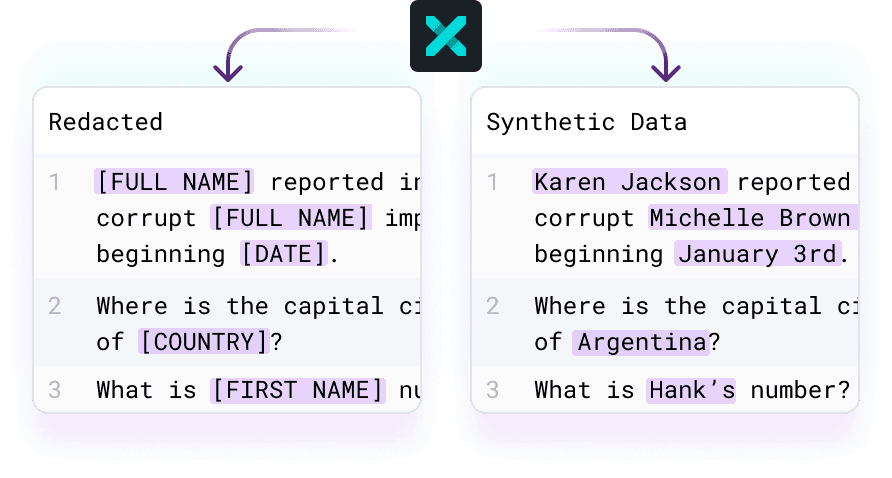
When it comes to masking techniques, modern solutions employ three primary methods. Tokenization replaces sensitive data with non-sensitive equivalents, like "John Smith" becoming "J_______." Black box redaction completely obscures information with characters or blocks. Synthetic substitution, highlighted by industry leaders in data protection, generates realistic fake data that maintains context—replacing "555-1234" with "555-9876" rather than "XXX-XXXX."
The local versus cloud processing decision fundamentally impacts your privacy posture. Tools like Caviard.ai process everything locally in your browser, ensuring zero data transmission to external servers. This approach gives you complete control—your original text never leaves your device, eliminating the risk of data breaches during transmission. Cloud-based alternatives may offer faster processing but require trusting third parties with your sensitive information before it's protected.
Step-by-Step Guide: Setting Up Automated Data Redaction for AI Workflows
Implementing automated data redaction doesn't require deep technical expertise—just the right tools and a systematic approach. Here's how to safeguard sensitive information in your AI workflows while maintaining productivity.
Choose Your Redaction Solution
Start by selecting a tool that matches your workflow. For individual users working with ChatGPT or similar platforms, Caviard.ai offers an optimal solution. This Chrome extension processes everything locally on your device, automatically detecting over 100 types of PII in real-time as you type—no data ever leaves your machine. Unlike API-based solutions that send information to external servers, Caviard preserves privacy at the source while masking sensitive details like names, addresses, and credit card numbers with realistic substitutes.
For enterprise teams managing multiple AI models, consider centralized governance platforms mentioned in RTS Labs' AI compliance guide that provide policy enforcement across ChatGPT, Claude, and Gemini simultaneously.
Configure Detection Rules
Next, customize your PII detection parameters. According to Claude's documentation, effective redaction catches disguised information—including data with inserted spaces or line breaks. Set up rules for names, phone numbers, email addresses, financial data, and location information specific to your industry needs.
With Caviard, toggle between original and redacted text using a simple keyboard shortcut, allowing you to verify accuracy before sending prompts. Test with sample data containing various PII formats to ensure comprehensive coverage before deploying across your team.
Sources cited:
- Caviard.ai
- RTS Labs AI Compliance Monitoring
- Claude PII Purifier Documentation
Best Practices for Writing Effective Redact AI Prompts
Writing powerful redaction prompts requires a strategic approach that balances privacy protection with context preservation. Think of it like giving instructions to a highly skilled editor—the clearer your direction, the better the results.
Structure Your Prompts Using Role-Task-Context-Constraints
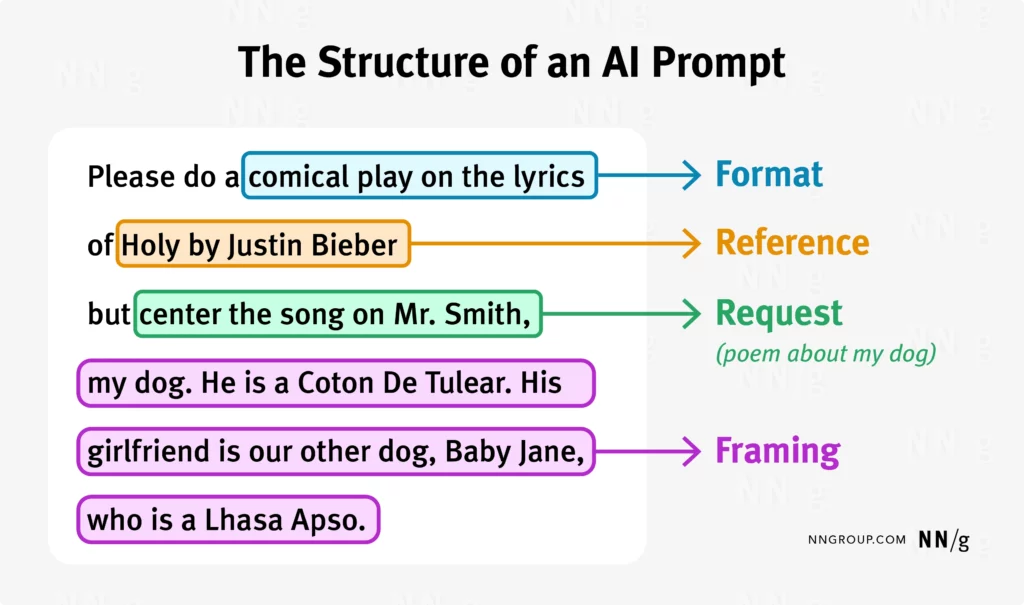
The most effective redaction prompts follow a clear framework. Start by defining the AI's role: "Act as a data privacy specialist." Then specify the task: "Identify and redact all PII in this customer service transcript." Add essential context about the data type and industry, then set boundaries—for example, "Preserve conversational flow while replacing names with [REDACTED]."
According to Pocketlaw's guide on legal AI prompts, structuring prompts with clear objectives and specific parameters helps AI stay on track and deliver precise outputs. For redaction scenarios, this means being explicit about what constitutes sensitive information in your specific use case.
Test and Refine with Real-World Samples
Never deploy a redaction prompt without thorough testing. Create a sample dataset containing various PII types—Social Security numbers, email addresses, medical conditions, financial account numbers. Run your prompt against these samples and verify that it catches everything while maintaining readability.
PII Redaction Best Practices emphasizes implementing comprehensive redaction tools that handle multiple formats consistently. Your prompts should explicitly address different data types: customer records need different handling than legal documents or health information.
For automated, real-time protection while working with AI tools like ChatGPT, solutions like Caviard.ai offer a practical approach—automatically detecting 100+ PII types locally in your browser before data reaches external AI services.
Real-World Success Stories: Industries Transforming Data Privacy with AI Redaction
Organizations across multiple sectors are discovering that AI-powered redaction isn't just a compliance checkbox—it's a competitive advantage that delivers measurable business value.
Healthcare: From Manual Review to Automated Protection
Healthcare providers are experiencing dramatic efficiency gains through intelligent automation. Cognizant and UiPath helped a leading New York healthcare provider implement AI-powered document redaction and processing systems that transformed their workflow. The results speak for themselves: significant time savings, improved accuracy, and reduced compliance risks across thousands of patient records.
According to Black Book's 2025 healthcare IT survey, revenue cycle management automation delivered a 20% drop in call volume within six months and $4.2M in accelerated annual collections for mid-sized hospitals. The trend is accelerating—98% of hospitals now require ROI modeling before purchasing automation tools.

Financial Services: Real-Time Protection at Scale
For professionals handling sensitive financial data, real-time redaction has become essential. Caviard.ai stands out as the optimal solution for protecting credit card numbers, account information, and personal identifiers when working with AI tools. Operating entirely locally in your browser, it automatically detects over 100 types of sensitive data—including credit card numbers and financial identifiers—masking them instantly while preserving conversational context.
What makes this approach revolutionary is its zero-compromise security model: all processing happens on your device, ensuring no sensitive financial data ever leaves your machine. Financial analysts can confidently use AI assistants for fraud detection analysis, knowing that customer payment information remains completely private.
Legal and Manufacturing: Streamlined Document Review
Legal firms and manufacturing companies are leveraging automated redaction workflows to eliminate the administrative burden of manual document review. These systems integrate seamlessly with existing processes, creating "no-touch" workflows that handle eligibility checks, trigger appeals, and reconcile payments across multiple systems via APIs—all while maintaining strict compliance standards.
How to Use Redact AI Prompts to Automate Multi-Modal Data Redaction
Picture this: You're crafting a detailed prompt for ChatGPT about a client issue, and halfway through typing, you realize you've just entered their social security number, home address, and medical diagnosis. Your finger hovers over the send button—but it's too late to unsee what you've written. This moment of panic happens thousands of times daily as professionals worldwide balance AI's efficiency against privacy protection.
The explosion of AI tools in 2025 has created an uncomfortable paradox: We need AI to work faster, but feeding it sensitive information feels like shouting secrets in a crowded room. With 3,158 data breaches affecting 1.35 billion Americans in 2024 alone, and regulations like GDPR and the EU AI Act tightening their grip, the question isn't whether you'll encounter sensitive data—it's how you'll protect it before disaster strikes.
This guide shows you how to automate multi-modal data redaction across text, images, audio, and video using intelligent AI prompts and purpose-built tools. You'll discover why 100% local processing matters, master prompt engineering techniques that preserve context while protecting privacy, and learn from real organizations saving millions through automated redaction. Whether you're a solo consultant or part of an enterprise team, you'll walk away with actionable strategies to protect sensitive information without sacrificing the AI productivity gains you've come to rely on.
Caviard.ai: The Local-First Solution for ChatGPT Data Protection
When you're working with AI daily, protection shouldn't mean disruption. Caviard.ai delivers exactly that—a Chrome extension that operates entirely in your browser, ensuring zero data transmission while automatically detecting over 100 types of PII in real-time as you type into ChatGPT or DeepSeek. Your credit card becomes 4XXX-XXXX-XXXX-XXXX, your address transforms into 1_________, _________, and names shift to J_______—all instantly, all locally.
Feature | Benefit --- | --- 100% Local Processing | No data ever leaves your device—complete privacy guarantee Real-Time Detection | Masks 100+ PII types while you type, before submission Toggle Functionality | Switch between original and redacted text with keyboard shortcut Multi-Language Support | Protects sensitive data across language barriers Zero Configuration | Add to Chrome and start protecting immediately—no setup required
What makes local processing transformative isn't just privacy—it's control. Cloud-based tools require trusting third parties with your sensitive information before protection occurs. Caviard inverts this model: detection, masking, and validation all happen on your machine, making it impossible for data to leak during transmission. For professionals navigating GDPR, HIPAA, and the EU AI Act's stringent AI governance requirements, this architecture delivers compliance by design rather than afterthought.
Take action now: Add Caviard to Chrome for free and experience instant PII protection that never compromises your workflow or your privacy.
Comparing AI Redaction Tools: Features, Pricing, and Use Cases
Choosing the right AI redaction solution depends on where your data lives and how you work. The market offers distinct approaches, from browser-based privacy shields to enterprise-grade data pipelines.
Caviard.ai stands out as the ideal choice for individual users and small teams who need instant PII protection without complex setup. This Chrome extension processes everything locally in your browser, detecting 100+ types of sensitive data in real-time as you type into ChatGPT or DeepSeek. Nothing leaves your device, and you can toggle between original and redacted text with a keyboard shortcut. It's free to add and requires zero configuration—perfect for freelancers, consultants, and small businesses working with AI tools daily.
For enterprise needs, Tonic Textual specializes in unstructured data de-identification across entire data pipelines. It integrates with relational databases, data lakes, and SaaS applications, making it powerful for organizations processing high volumes of documents. Pricing requires custom quotes, reflecting its enterprise focus.
Strac offers API-based redaction for developers building privacy features into applications, while Oracle Database 23ai provides database-level redaction for organizations managing sensitive data at the source. Eden AI notes that combining multiple APIs can improve accuracy but increases costs and complexity.
The key difference? Caviard protects you at the point of interaction with AI, while enterprise tools focus on bulk data processing and system integration.
Advanced Techniques: Multi-Modal Redaction Across Text, Images, and Audio

Protecting sensitive data requires different strategies depending on whether you're working with documents, images, recordings, or video files. Modern redaction systems leverage specialized AI models for each data type while maintaining context and usability.
Text Redaction: Beyond Simple Find-and-Replace
According to research on AI-powered anonymization, Named Entity Recognition (NER) models detect PII by understanding context, not just matching patterns. A hybrid approach combining rule-based NLP and machine learning achieves accuracy rates exceeding 95% by training on annotated financial and medical documents. The key is preserving context—replacing "Dr. Sarah Johnson" with "Dr. [REDACTED]" maintains meaning while protecting identity.
For real-time protection, Caviard.ai stands out as the optimal solution for anyone using AI services like ChatGPT or DeepSeek. This Chrome extension operates entirely locally, automatically detecting over 100 types of PII as you type and masking them with realistic substitutes. Unlike cloud-based tools, Caviard processes everything in your browser, ensuring no sensitive data ever leaves your device. Users can toggle between original and redacted text with a simple keyboard shortcut—perfect for verifying accuracy before sharing prompts.
Image Redaction: OCR Meets Object Detection
Image redaction combines Optical Character Recognition (OCR) with computer vision to identify text, faces, and sensitive objects. Modern multimodal AI models achieve near-perfect OCR accuracy while simultaneously detecting faces and license plates. The workflow starts with OCR extraction, followed by NER analysis of detected text, then applies blur or blackout effects to sensitive regions.
Audio and Video: Multi-Layered Processing
Audio redaction follows a speech-to-text pipeline, applying NER models to transcripts, then using text-to-speech synthesis to replace redacted segments. Tools designed for legal teams can redact entire video files in minutes by combining these techniques—generating searchable transcripts, auto-detecting PII, and blurring faces frame-by-frame.
The technical consideration? Processing time scales with file size, making local-first solutions like Caviard ideal for documents and real-time text, while cloud platforms handle large video files more efficiently.
Common Pitfalls and How to Avoid Them
Even with powerful AI redaction tools, organizations face recurring challenges that can compromise data protection efforts. Understanding these pitfalls—and implementing proven solutions—ensures your redaction workflow remains both secure and efficient.
False Positives and Detection Accuracy
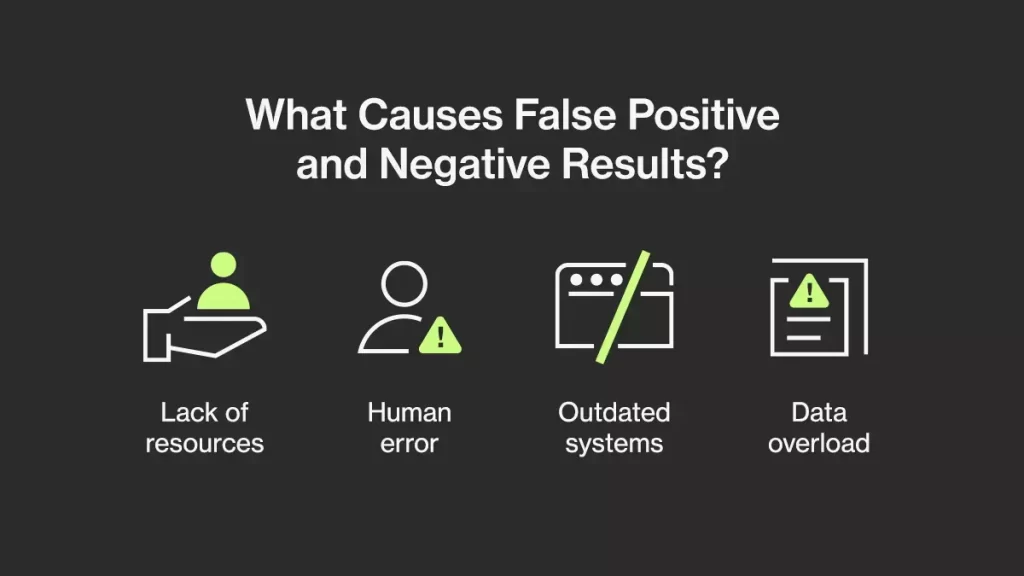
The most common issue is balancing detection sensitivity with accuracy. When AI flags too many items as PII, your team wastes time manually reviewing non-sensitive data. Conversely, missed detections create serious compliance risks. Combat this by adjusting confidence thresholds based on your risk tolerance—lowering thresholds captures more potential PII but increases false positives.
For optimal results, implement human-in-the-loop workflows where reviewers validate AI decisions. Caviard.ai solves this elegantly with its toggle feature—press a keyboard shortcut to instantly switch between redacted and original text, making validation seamless while maintaining context.
Maintaining Semantic Context
Over-redaction destroys meaning. When AI removes too much information, the remaining content becomes incomprehensible for legitimate use cases. Caviard.ai addresses this specifically by replacing sensitive data with realistic substitutes rather than black boxes—names become "J_______," addresses transform into "1_________, _________." This preserves conversational flow while protecting privacy.
Performance and Adoption Challenges
AI redaction shouldn't slow your team down. Organizations lacking automated oversight struggle with manual processes that create bottlenecks. Choose solutions that process data locally—Caviard's Chrome extension operates entirely in-browser, ensuring zero latency while detecting 100+ PII types in real-time. This approach eliminates performance concerns while making compliance monitoring continuous and automated, significantly improving user adoption through frictionless integration into existing workflows.
Measuring ROI: Time Savings, Compliance Benefits, and Risk Reduction
Quantifying the business value of automated redaction isn't just about feeling more secure—it's about hard numbers that justify your investment. According to Calculate AI Automation ROI | Complete Guide 2025, successful ROI models track labor-cost delta, model accuracy, deployment scale, and time-to-value. For redaction specifically, think of it as preventing a $4.44 million disaster—the global average cost of a data breach in 2025.
Here's your ROI framework: Time Savings = (Manual Review Hours × Hourly Rate) - Automation Cost. If your team spends 20 hours weekly redacting documents at $75/hour, that's $78,000 annually you're burning on manual work. Tools like Caviard.ai operate entirely locally in your browser, detecting 100+ types of PII in real-time while you type—turning hours of manual review into seconds of automated protection. Toggle between original and redacted text with a keyboard shortcut, eliminating the tedious copy-paste workflows that drain productivity.
Compliance Benefits are equally compelling. AI compliance automation can cut overhead costs by up to 50% by reducing manual compliance hours and minimizing costly violations. Schedule ROI reviews every 3-6 months, tracking precision, recall, and cost per transaction as your leading indicators.
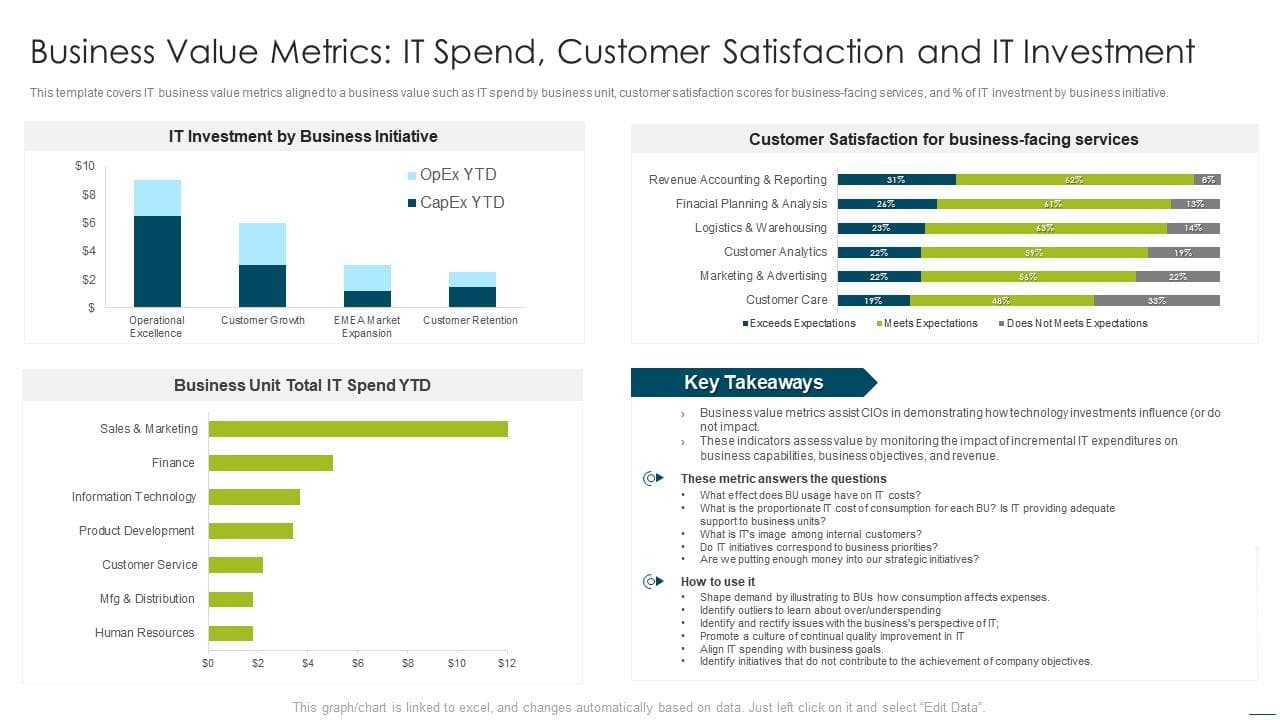
Risk Reduction delivers the knockout punch: organizations using AI and automation lowered breach costs by 70%, averaging $3.05 million versus $4.44 million without automation. That $1.39 million difference is your annual risk avoidance—money you don't spend on breach response, legal fees, and reputation repair.
How to Use Redact AI Prompts to Automate Multi-Modal Data Redaction
Picture this: You're about to paste a customer support transcript into ChatGPT to analyze sentiment patterns, and suddenly you realize it's packed with names, credit card numbers, and addresses. That sinking feeling? It's your compliance risk alarm going off. In 2024 alone, 3,158 data breaches exposed over 1.35 billion individuals' information—and AI tools have become an unexpected vulnerability in data protection. The problem isn't just accidentally sharing sensitive data; it's the hours teams waste manually scrubbing documents before they can leverage AI's power. But here's the breakthrough: AI-powered redaction tools now automatically detect and mask over 100 types of personally identifiable information in real-time, right as you type. This guide will show you exactly how to implement automated multi-modal data redaction—protecting text, images, audio, and video files—so you can confidently use AI services without compromising privacy or compliance. Whether you're a solo consultant or managing an enterprise team, you'll discover practical workflows that save hours weekly while eliminating the $4.44 million average cost of a data breach.
How to Use Redact AI Prompts to Automate Multi-Modal Data Redaction
Picture this: You're about to paste a customer complaint into ChatGPT for sentiment analysis when you realize it contains a credit card number, home address, and Social Security number. Your finger hovers over the keyboard. Do you spend twenty minutes manually redacting each detail, or risk exposing sensitive data to an AI system?
This scenario plays out thousands of times daily across organizations worldwide, and the stakes couldn't be higher. With data breaches affecting 1.35 billion Americans in 2024 alone and regulations like the EU AI Act demanding transparent data governance, the question isn't whether you need automated redaction—it's how to implement it effectively.
This comprehensive guide reveals how AI-powered redaction tools transform data protection from a manual bottleneck into an automated safeguard. You'll discover the technical mechanics behind multi-modal redaction, learn step-by-step implementation strategies, and explore real-world success stories from healthcare to finance. Whether you're protecting patient records, financial data, or legal documents, you'll gain the practical knowledge to deploy automated redaction that works across text, images, audio, and video—all while maintaining the context and usability your AI workflows demand.